
Tiger Exchange Login
Mobile number or user ID. Password or OTP. Demo sign-in available.
New here? Get a new Tiger Exchange ID
Tiger Exchange Login — Instant Access with Mobile Number or User ID
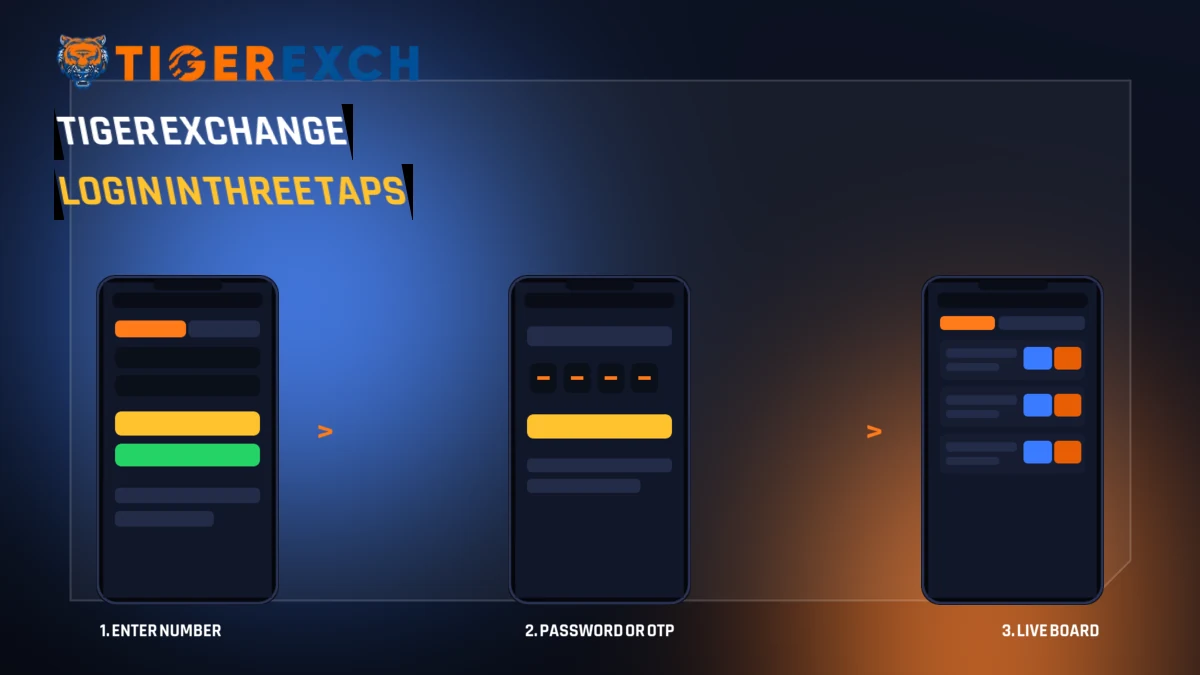
A Tiger Exchange login needs two pieces of information and one tap. Pick mobile number or user ID in the top switch, enter the password (or ask for an OTP instead), press Login, and the exchange board opens on whatever cricket is live at that moment. Most people are through in well under a minute.

Everything below is about the sign-in itself. Not markets, not strategy. What to type, which switch to flip, how long it takes, what the screen does when it refuses you, and where to go when your own memory of the password has gone missing. If you already have a Tiger Exchange account, scroll no further than the card at the top of this page.
The Tiger Exchange Login, Step by Step — Six Quick Moves
Here is the whole thing in order. Nothing skipped, nothing padded. If you have signed in to any exchange before, steps one through four will feel familiar; step five is where the Tiger Exchange sign-in differs slightly from the usual sportsbook screen.
Six moves, and honestly four of them are just reading. The only genuine decisions in a Tiger Exchange login are identifier and authentication method, and both of those are covered next.
Mobile Number or User ID — Which Tiger Exchange Login Field Works for You
Signing in with a mobile number
This is the default, and for most players it is also the right answer. The number you registered with becomes the account handle. It is ten digits, it never changes unless you ask the Tiger Exchange desk to change it, and you already know it by heart — which matters more than it sounds, because a forgotten identifier is far more annoying than a forgotten password.
Keep the +91 box as it is. The field is numeric-only, so a stray space or a dash simply will not go in. If your account was opened over WhatsApp, the number in that chat is the number that works on the Tiger Exchange login screen.
Signing in with a user ID
Flip the switch to User ID when your account came pre-made from an agent rather than being opened by you. Those accounts carry a username instead of a phone handle, often a short word plus digits. Type it exactly — the field is case-sensitive and does not autocorrect.
One thing worth repeating: a user ID and a mobile number are two doors into the same Tiger Exchange account, not two accounts. Balance, open bets and history are identical either way. Choose whichever you can recall without digging through old messages.
If both work for you, use the mobile number. It plays nicer with OTP, and it means the Tiger Exchange login survives a lost password without any help from support at all. That is the practical difference between the two; everything else is preference.
Password or OTP — Two Ways to Finish a Tiger Exchange Login
Under the number field are two radio buttons. Small, easy to miss, and they change the whole shape of the sign-in.
Password on Tiger Exchange
Default, fastest, and the one to use on a phone you own. Type it, tap the eye icon to confirm, press Login. Nothing waits on a network. On a slow connection that is the difference between being in before the over ends and watching the ball go while a code crawls through.
OTP on Tiger Exchange
Move the selection across and the password box steps aside for a code request instead. Whatever number sits in the field above is where that code lands, so the option is only sensible with Mobile Number chosen. Two situations suit it: a borrowed handset, and a password that has genuinely gone from memory but you want in now and will reset afterwards.
A small honest caveat: OTP delivery depends on your carrier, not on Tiger Exchange. If the message has not landed in half a minute, wait for the resend timer rather then hammering the button — repeat requests tend to queue behind each other and the older code arrives first, which is confusing. For a Tiger Exchange login on your own handset, password remains the quicker road nine times out of ten.
When the Tiger Exchange Login Is Refused — Read the Message First
The screen tells you what went wrong. It just does it in four words, so people skip it and start retrying blind. Match the message to the row below instead.
| What you see | Why it happens | What to do |
|---|---|---|
| Invalid credentials | Password typed with wrong case, or the identifier switch is on the wrong side | Tap the eye icon, re-read the password, then confirm the switch says Mobile Number or User ID as intended |
| User not found | The ten digits belong to a number never registered here, or a stray digit crept in | Count the digits. Ten, no leading zero. If it still fails, the account may sit under a user ID instead |
| Account locked | Several wrong passwords in a row triggered a protective lock | Stop retrying — each attempt extends it. Use Forgot Password, or message the desk for an unlock |
| OTP expired | The code sat unused too long, or a newer code was requested | Request one fresh code and use that one only. Delete the older SMS so you do not type it by mistake |
| Page will not load | Stale cached copy of the address, or a flaky mobile data session | Hard-refresh tigerr365.co.in, or switch between mobile data and wi-fi once |
Notice what is not on that list: a broken site. In practice a Tiger Exchange login fails for boring reasons — a capital S, a missing digit, an old code. Work through the rows before you assume anything worse. And if you are three attempts deep and getting the same refusal, stop. The fourth attempt will not be the one that works, and it might be the one that locks the Tiger Exchange account out.
Forgot Password — Resetting a Tiger Exchange Login Without Waiting
Under the password box on the Tiger Exchange card sits a small Forgot Password link. It opens a reset card that asks for three things: the registered mobile number, a new password, and that same new password again to confirm. No security questions, no email loop.
Set the new one and you are back at the Tiger Exchange login card with the identifier already filled. Type the fresh password, press Login, done. The whole detour takes about as long as reading this paragraph twice.
Two things to keep in mind. First, the reset works off the registered number, so it will not help if you have lost access to that SIM — that case needs the support desk. Second, the new password takes effect immediately on every device signed in to Tiger Exchange; if you were signed in on a tablet, that session will ask for the new one next time it checks.
Locked accounts use the same door. A lock from repeated wrong passwords generally clears once a successful reset goes through, because the reset proves the number is yours. If it does not clear, that is the moment to ask the Tiger Exchange desk rather than to keep trying.
How Long a Tiger Exchange Login Session Stays Open
Sessions are not permanent, and that is deliberate. Leave the tab idle long enough and the next action — placing a bet, opening the balance page, refreshing a market — will bounce you back to the Tiger Exchange login card. It is not an error even though it it arrives looking like one.
Closing the browser entirely ends the session too. So does signing in somewhere else, on most account setups, because one Tiger Exchange account is meant to be live in one place at a time. If your phone suddenly asks you to sign in again, check whether somebody used the same credentials on another device; that is the usual explanation.
Practical habit: before a big chase, do a fresh Tiger Exchange login rather than trusting a tab you opened at lunch. An expired session during a final over is a miserable way to learn this lesson, and it takes ten seconds to avoid.
Tiger Exchange Login on Mobile and on Desktop — What Changes
The same account, the same fields, a different amount of screen. Here is what actually differs.
Tiger Exchange on a phone
The login card fills most of the screen and the keyboard flips to numeric on its own when Mobile Number is selected. A tab bar sits at the bottom of the site so Login is always one thumb-reach away, which is why most Indian users never see the desktop version of Tiger Exchange at all.
Add the address to your home screen after your first successful sign-in. It opens without browser chrome and saves a good five seconds every time.
Tiger Exchange on a laptop
More room means the markets sit in wider columns once you are through, but the sign-in itself is identical — same two fields, same password-or-OTP pair. The header keeps a Login button at the top right on every page, so a Tiger Exchange login can start from anywhere on the site without going back home.
Browser password managers work here normally. Just be sure the saved entry matches the identifier switch you actually use.
One rule holds on both: never let a shared machine remember the credentials. That is not a lecture, it is a specific point about this sign-in — a remembered Tiger Exchange login on a friend's laptop is an account somebody else can open.
Why tigerr365.co.in Is the Tiger Exchange Login Address to Bookmark
Search results for the brand are messy. Half the listings are app mirrors, the other half are forum threads nobody has touched in a year. tigerr365.co.in is the working Tiger Exchange address for Indian players, and the card at the top of this page is the sign-in you want — no redirect chain, no intermediate landing page asking for an email first.
Bookmark it. Typing the Tiger Exchange address is faster than searching, and it removes the one real risk in the whole process, which is tapping a result that only looks like the brand. The padlock in the strip above the card is there for the same reason: check it once, then trust the bookmark.
A Tiger Exchange login started from this address behaves exactly like one started inside the app. Same balance, same open bets, same history — the account lives on the server and not on the device, so moving between phone browser, laptop and app costs you nothing but the ten seconds of typing.
First Tiger Exchange Login After a Brand New ID
Fresh account holders hit one small snag more often than anything else, so it is worth calling out separately. When an ID is created for you rather than by you, the credentials arrive as a message: a username or number, and a temporary password.
Nothing to sign in with yet? The Tiger Exchange register page walks the self-serve route, and the Tiger Exchange ID page covers the ready-made kind. Either way the destination is this card.
Login Button or Demo Login — What Each One Opens on Tiger Exchange
Two buttons sit side by side on the Tiger Exchange card, and that pair confuses more first-timers than any error message does.
The main Login button takes your real Tiger Exchange account into the live board: real balance, real markets, real settlement when the innings ends. Demo Login opens the same screens on practice balance. Nothing you do in demo touches money, and nothing you win there can be withdrawn.
Demo is worth ten minutes if you have never used the Tiger Exchange board before — it is the cheapest way to learn where the in-play tab, the balance and the bet slip actually sit. After that, switch. A practice session you mistake for the real thing is a match you thought you had backed and did not. Free demo IDs sit on the Tiger Exchange demo ID page if you want one before your first real sign-in.
Signing Out, Switching Accounts and Staying in Control on Tiger Exchange
Signing out matters more than people think, and not for dramatic reasons. It simply ends the session cleanly so the next Tiger Exchange login starts from a known state rather than from a half-expired one.
If two people in a house share one handset, sign out after every sitting. If you run your own account and somebody else manages a second one, do not keep both logged in on the same browser; the site is built around one live Tiger Exchange session at a time and the second sign-in will quietly push the first one out. Better to switch on purpose than to wonder why your board went blank mid-over.
And the boring one that saves the most trouble: write the identifier down somewhere sensible. Not the password — the identifier. Ninety per cent of the Tiger Exchange login problems that reach a support desk start with a person who no longer remembers whether their account was opened on a number or on a username.
Straight After a Successful Tiger Exchange Login — What Opens
You land on the board, not on a dashboard full of menus. Live cricket sits first when cricket is on; through an IPL evening that means match odds, bookmaker lines and session markets updating over by over as the innings moves.
The Tiger Exchange tabs across the top carry the rest — in-play, upcoming fixtures, and the casino floor with live dealer tables, Teen Patti, Andar Bahar, Aviator, roulette and dragon tiger rooms. Your balance sits top-right from the first second, so there is no seperate wallet screen to hunt for after a Tiger Exchange login.
If you came in through Demo Login instead, the Tiger Exchange screens look identical but the balance is practice money. Useful for learning where things are. Just do not mistake one for the other when you actually mean to back something.
Tiger Exchange Login Help Desk — What Only Support Can Unlock
There is a point where retrying stops being useful. You have re-read the password with the eye icon, you have checked the identifier switch, you have tried one fresh OTP, and the Tiger Exchange login still will not go through. That is the moment to ask rather than to keep poking.
The desk answers on WhatsApp around the clock and handles the three things you cannot do from the card yourself: unlocking an account after repeated wrong passwords, looking up a user ID nobody has written down, and moving an account to a new number when the old SIM is gone. Have the registered number ready before you message — it is the first thing they will ask for, and having it saves a round trip. Full contact details sit on the Tiger Exchange WhatsApp number page.
Everything else on this page you can do alone in under a minute. This last one you cannot, and there is no prize for spending twenty minutes proving it.

Tiger Exchange Login — Questions People Actually Ask
Why is my Tiger Exchange login not working?
Almost always the password case or the wrong identifier switch. Tap the eye icon and re-read what you typed, then check whether the switch says Mobile Number or User ID. If the message reads account locked, stop retrying and use Forgot Password instead, because more attempts extend the lock rather than clearing it.
Can I do a Tiger Exchange login with a user ID instead of a mobile number?
Yes. The switch above the first field flips between Mobile Number and User ID. Accounts issued by an agent usually carry a username, so pick User ID and type it exactly as received, including capitals. Both routes open the same account, with the same balance and the same open bets.
How do I reset my Tiger Exchange login password?
Tap Forgot Password under the password box. The reset card asks for your registered mobile number, a new password, and the same password again to confirm. Submit it and you return to the login card with the identifier already filled. The new password applies on every device immediately.
Is the Tiger Exchange login free to use?
Yes, signing in costs nothing and opening an account is free as well. The Demo Login button beside the main one is free too and runs on practice balance, so you can see the markets and the casino floor before putting any real money anywhere near them.